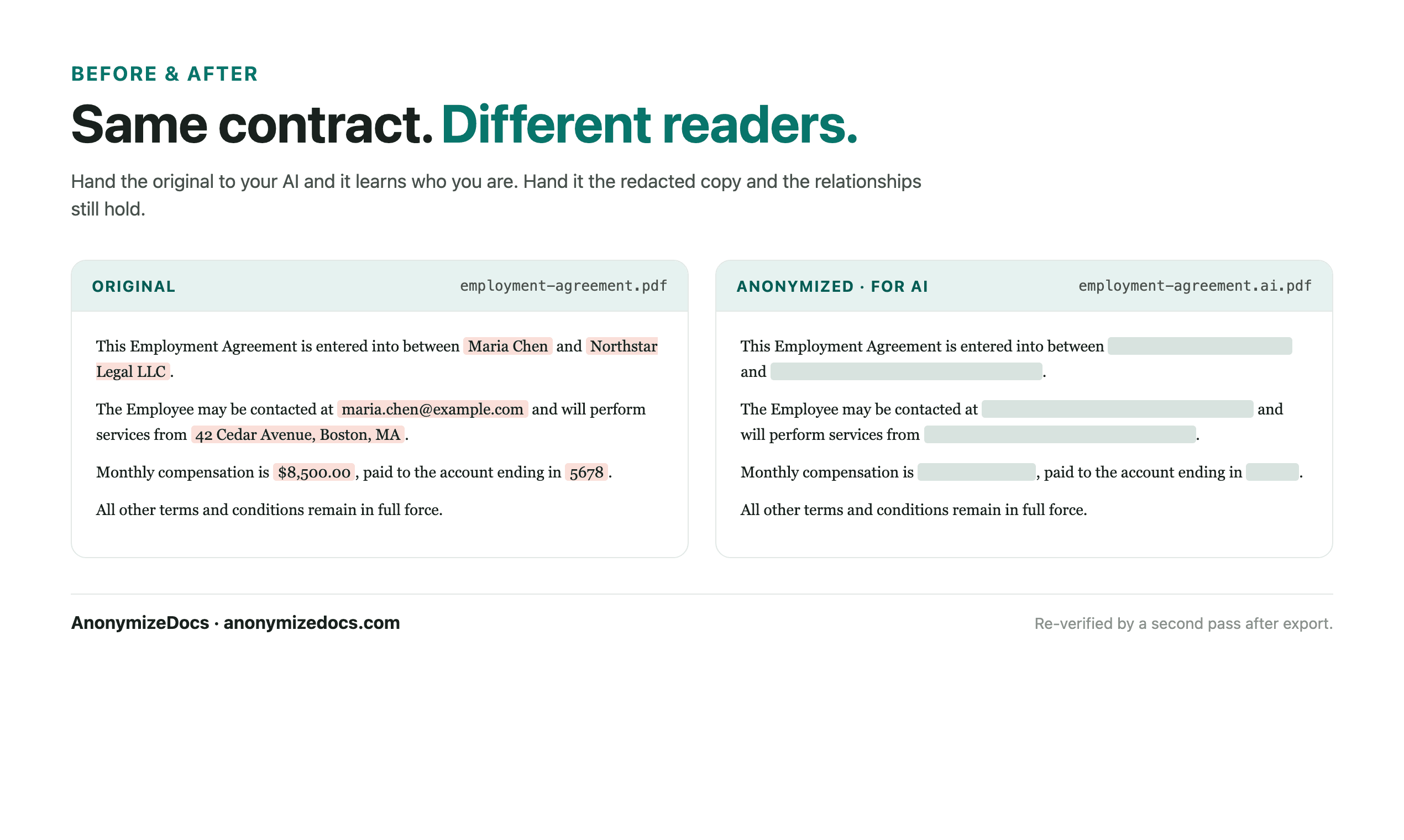
A black rectangle over text is not automatically a safe redaction. The original text can remain searchable under an overlay, or a scanned page can still expose a name inside an image. Use this checklist after export, not only before editing.
Work through each section
PDF Redaction Checklist Before ChatGPT
Identify every PDF content layer
Start by understanding what kind of content the file contains.
- Searchable native text and repeated names
- Scanned pages that need OCR and visual review
- Headers, footers, annotations and form fields
- Tables, text boxes, attachments and page thumbnails
- Embedded PNG or JPEG images and signatures
- Hidden layers or text beneath visual redaction marks
Choose the replacement boundary
Remove what the AI does not need while preserving useful structure.
- Names, emails, phone numbers and addresses
- Account, tax, case and registration identifiers
- Client, vendor, project and matter references
- Signatures, photos and image-based personal details
- Metadata and comments that reveal authorship or history
- Unique combinations that could re-identify the document
Verify the exported PDF
Run the same checks a recipient could run after receiving the file.
- Open the downloaded PDF in a separate viewer
- Search for each original value you accepted for replacement
- Copy and paste text from redacted areas to test the text layer
- Zoom through every page, including the margins and image areas
- Check headers, footers, tables, attachments and annotations
- Confirm the export did not silently preserve an unsupported image
Prepare the AI upload
The final file should contain only the minimum useful context.
- Use stable placeholders for repeated parties and entities
- Keep clause relationships and task-relevant numbers readable
- Rename the output without exposing the original matter name
- Upload the verified copy, never the untouched source by accident
- Keep a record of what was reviewed and which limitations applied
Tip: When in doubt, remove unnecessary detail. It is easier to add context back than to take it back after sharing.
Read the boundary
What this checklist can—and cannot—confirm
- OCR can misread low-quality scans, unusual fonts and handwriting; visual review remains necessary.
- AnonymizeDocs verifies supported searchable output and fails closed for unsupported image rewrites.
- A successful export is not a guarantee that every sensitive detail was detected.
Continue the workflow
Related reading
Local document workspace
Review your next file in the browser.
Your original document is not uploaded to AnonymizeDocs.