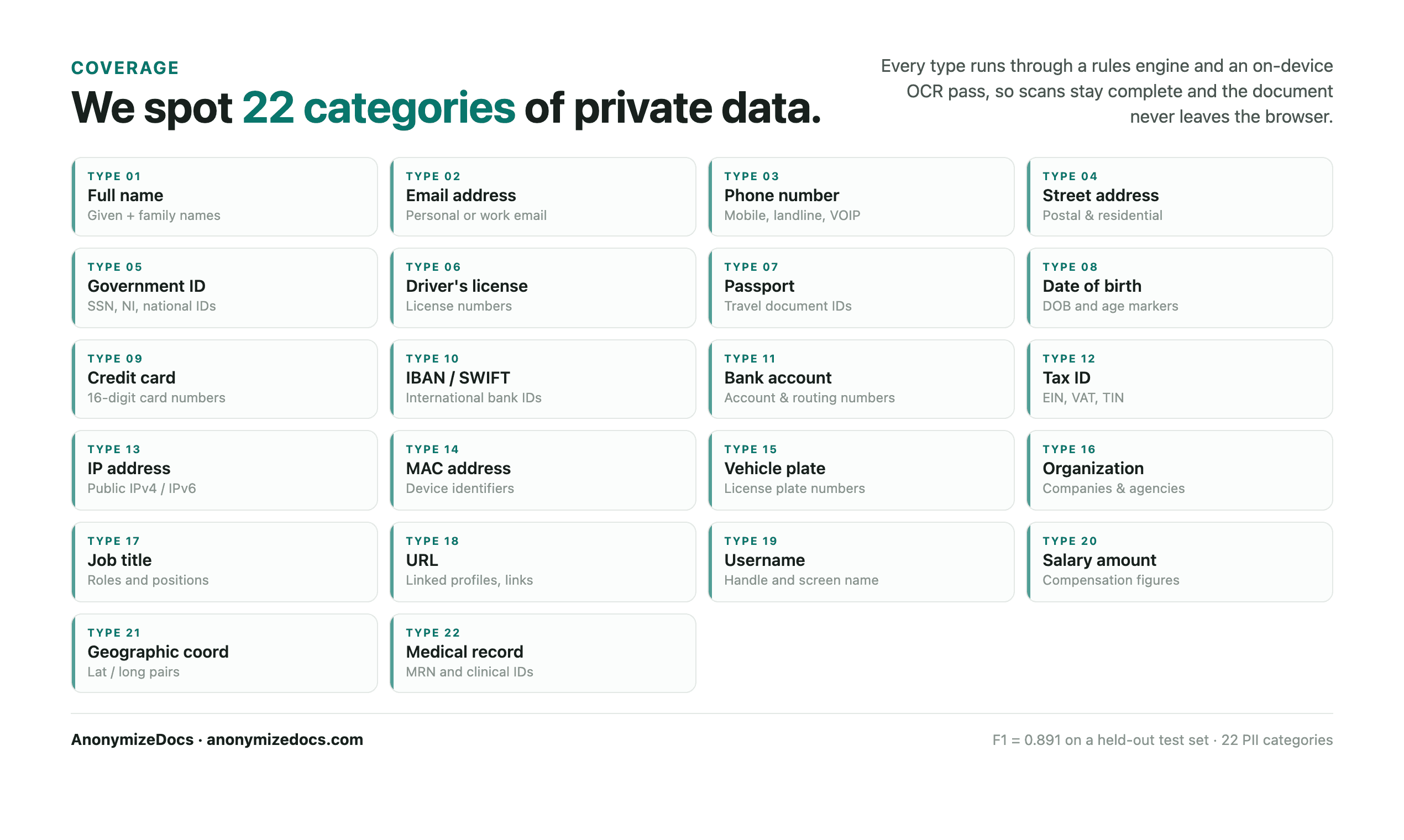
PII is not limited to a name or phone number. Use this checklist to review the visible text, repeated context and hidden document areas that can identify a person, company or matter. Keep the original file unchanged and prepare a separate copy for AI.
Work through each section
PII Removal Checklist
Direct identifiers
Information that can identify a person or account directly.
- Full names, initials and signatures
- Email addresses and phone numbers
- Home, mailing and property addresses
- Government IDs, tax IDs and registration numbers
- Usernames, account IDs and login details
- Dates of birth and personal reference numbers
Business and matter context
Details that can reveal the organization, client or project even when a name is removed.
- Company, client, vendor and brand names
- Project names, matter numbers and internal codenames
- Financial data, budgets, rates and account references
- Employee names, roles and team-specific clues
- Locations, unique dates and combinations of facts
- Confidential terms, strategy and negotiation positions
Hidden document content
Information that may not appear in the main paragraph text.
- Headers, footers, page numbers and running titles
- Tables, footnotes, endnotes and text boxes
- Comments, tracked changes and annotations
- Document properties, author names and timestamps
- Embedded images, scanned signatures and screenshots
- Attachments, extra PDF layers and searchable text under overlays
Final verification
A human review before the prepared copy leaves your device.
- Work from a copy and keep the original under document control
- Review every flagged value and decide what the AI actually needs
- Use stable placeholders when the same entity appears repeatedly
- Search the exported copy for known source values
- Inspect pages, tables, headers, footers and images visually
- Upload only the verified copy and retain the original safely
Tip: When in doubt, remove unnecessary detail. It is easier to add context back than to take it back after sharing.
Read the boundary
What this checklist can—and cannot—confirm
- No automated detector guarantees that every sensitive value was found, especially in poor scans or unusual layouts.
- AnonymizeDocs processes the selected file in the browser; the original document is not uploaded to AnonymizeDocs.
- The AI provider's retention, training, access and workspace controls still apply to the copy you upload.
Continue the workflow
Related reading
Local document workspace
Review your next file in the browser.
Your original document is not uploaded to AnonymizeDocs.