PII removal means identifying the personal, business and contextual details an AI task does not need, reviewing each candidate locally, replacing accepted values consistently, and checking the exported copy before upload.
For teams and professionals who use AI with client, hiring, property or commercial documents.
Why this workflow matters
Keep the useful context. Remove the unnecessary identity.
PII is not limited to an email address. A document can identify a person through a name, employer, location, phone number, account ending, case number or a distinctive project title. Start with the information needed for the AI task, then remove or generalize the rest without destroying the relationships the analysis needs.
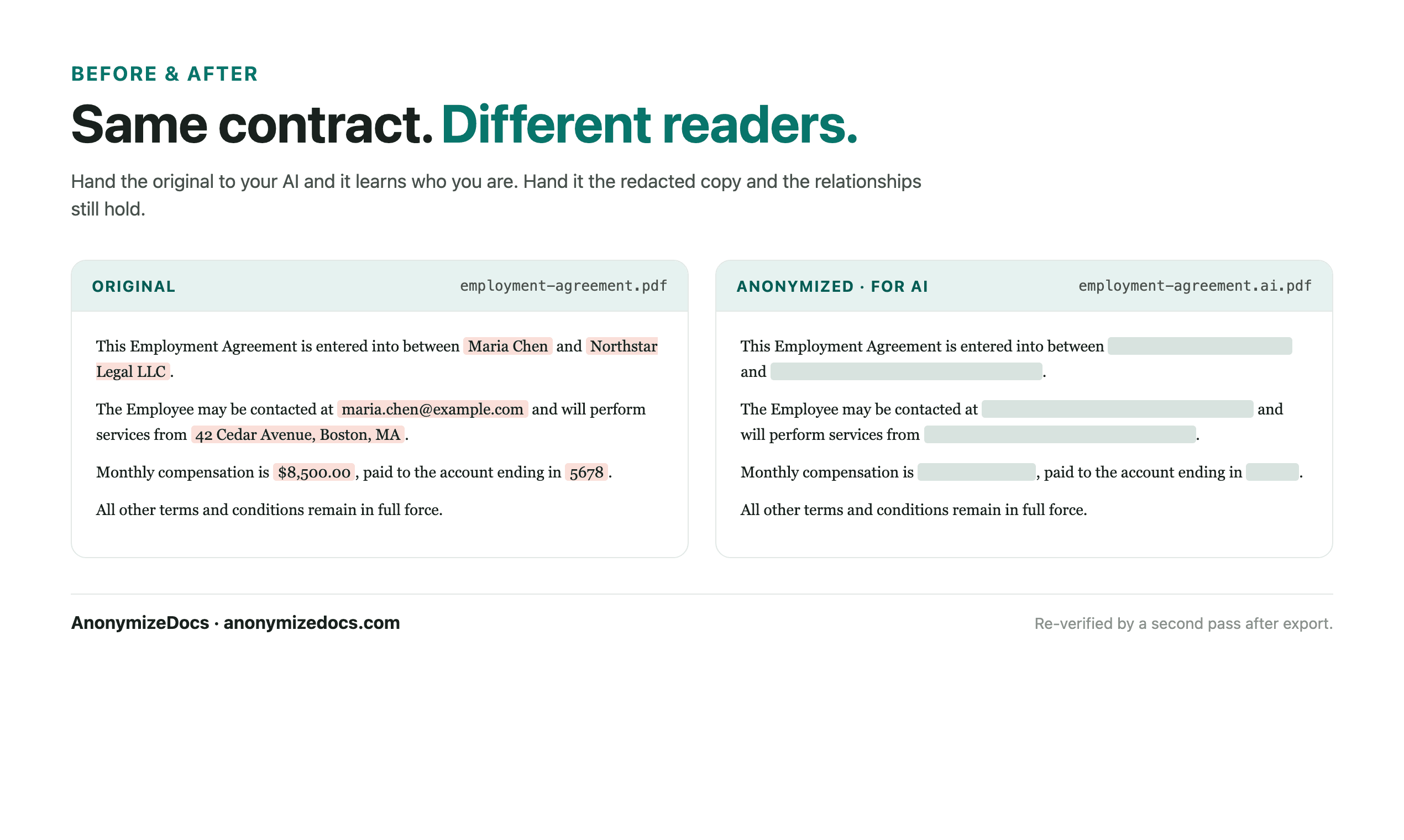
The goal is a working copy that still makes sense to an AI tool: relationships stay consistent, while accepted names, contacts, addresses and document-specific identifiers become controlled replacements.
A practical sequence
From original file to AI-ready copy.
Four checkpoints
01
Define the AI task
Decide whether you need a summary, clause extraction, comparison or drafting help. This determines which context can remain and which identifiers are unnecessary.
02
Find direct and contextual PII
Review names, contacts and IDs alongside organizations, brands, addresses, project titles and combinations of facts that can reveal the parties.
03
Preserve relationships
Replace repeated values consistently, for example with [PERSON_1] or [ORGANIZATION_1], so the AI can still distinguish each party and role.
04
Verify the AI-ready copy
Search the output, inspect page images, headers, footers and tables, and confirm that no unnecessary original identifiers remain before upload.
Document-specific review
What gets checked before export?
The detector suggests candidates; you decide what changes. For this workflow, start with the fields below and add custom findings when the document contains a unique name, project, matter or identifier.
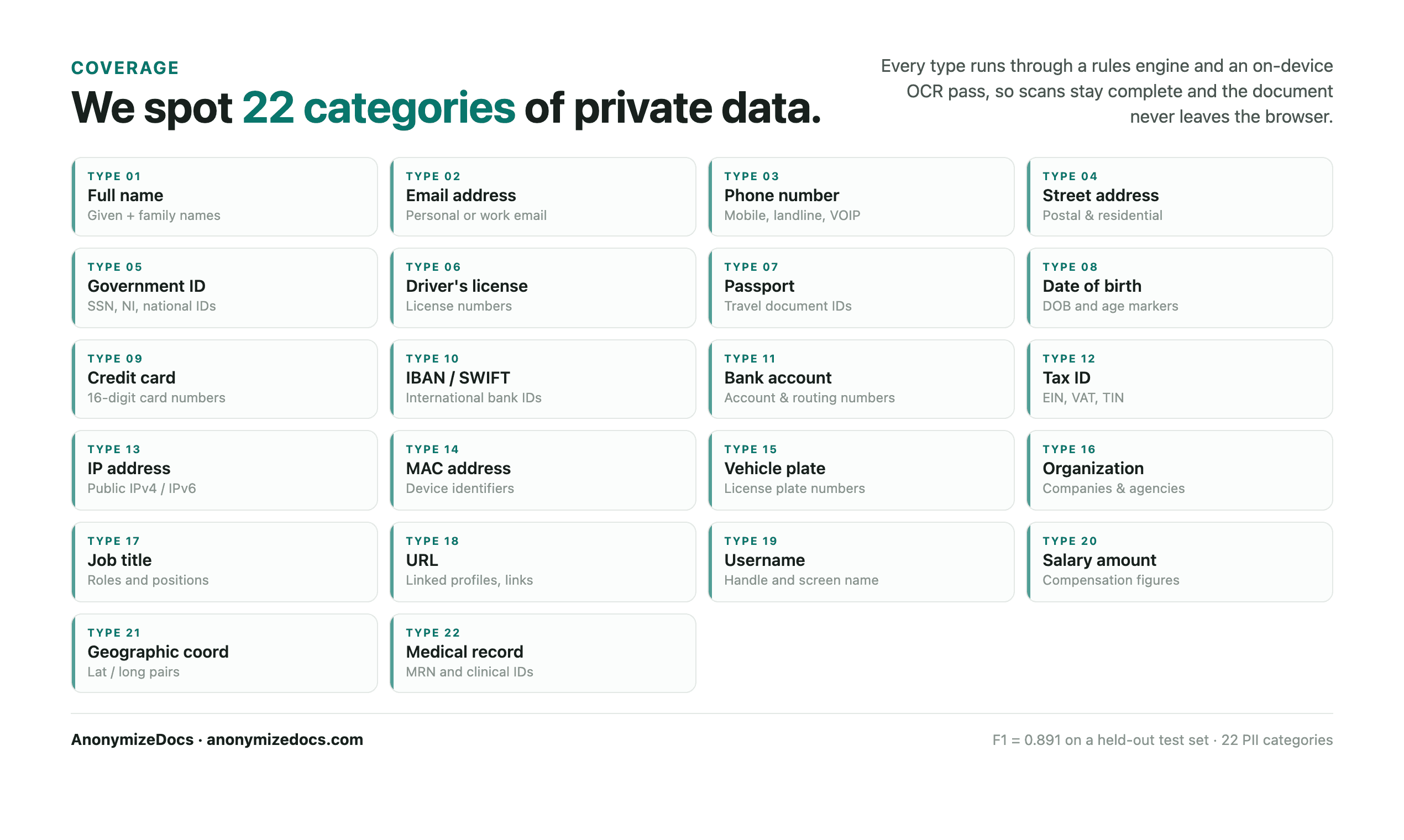
Direct identifiers: names, emails, phone numbers and IDs Business identifiers: companies, brands, clients and employers Location identifiers: street addresses, properties and cities Document identifiers: case, contract, copyright and registration numbers Financial and account references: bank, tax, card and payment details Context clues: unique product names, project titles and custom values
Privacy boundary
What stays on your device.
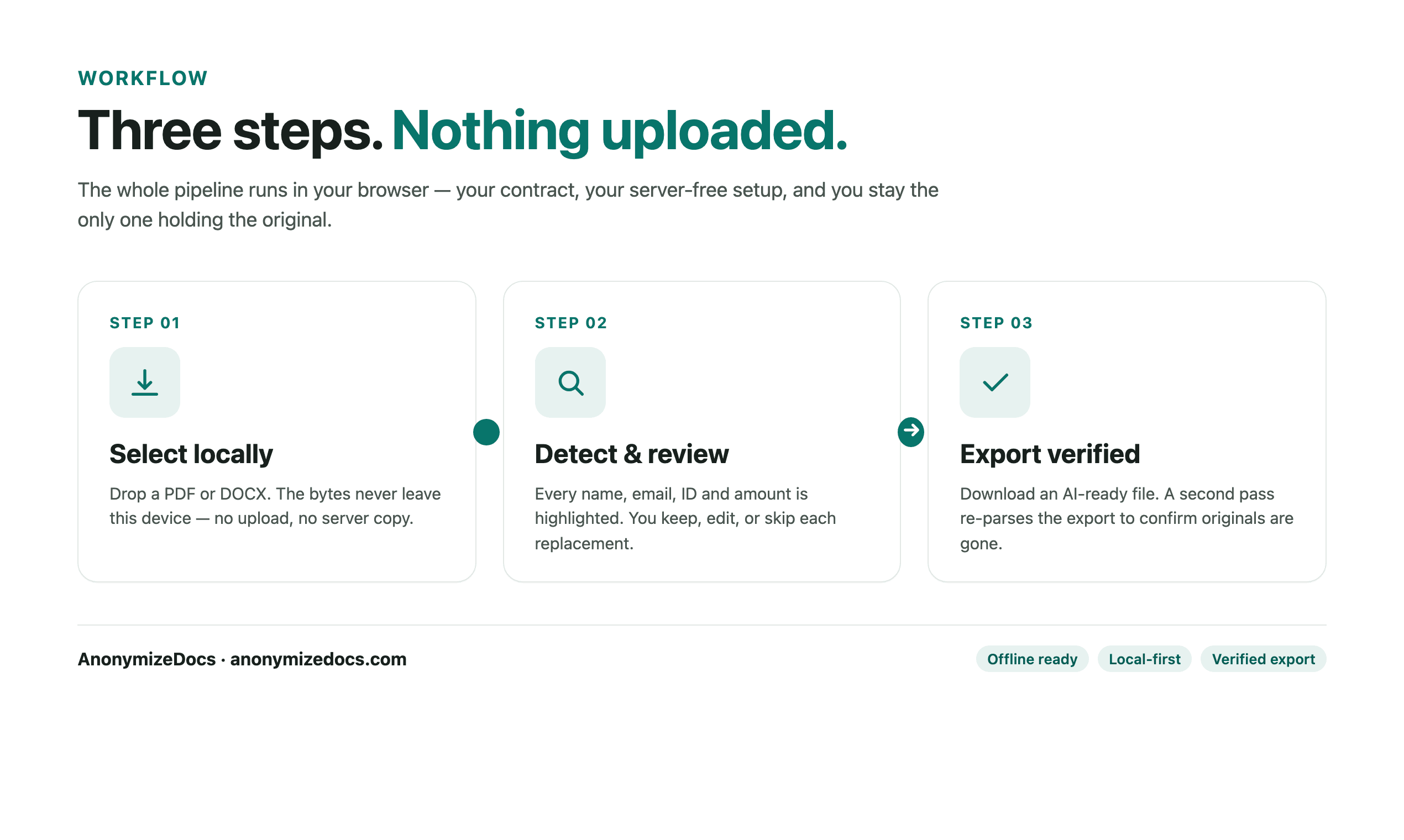
The original PDF or DOCX is not uploaded to AnonymizeDocs.
Extracted text, findings and replacements stay in the browser session.
Only the reviewed copy should be sent to a third-party AI service.
Human checkpoint
What still needs your judgment.
PII detection is a review aid, not legal advice or a guarantee of anonymity. Re-identification can happen through unusual combinations of dates, locations and narrative facts, so the final decision remains with the document owner.
A verified export confirms accepted values were handled. It does not promise that an automated detector found every sensitive detail.
What a useful output looks like
Readable enough for analysis. Safer to share.
Stable placeholders let the AI distinguish one party from another without receiving the original names. Keep the clauses, dates and relationships the task needs; replace the details that identify the people, companies or matter.
Original identity-bearing valuesReview accept, ignore or editOutput reviewed placeholders or permanent redaction mode
Product evidence
See the review surface before you trust the workflow.
Current UI reference
These are current AnonymizeDocs product visuals, not testimonials or stock illustrations. They show the review, export and privacy boundaries that should be checked on a real file.
Local selection and review checkpoints.Output comparison and the boundary that still needs human verification.
PII removal is the process of finding personally identifiable information and other unnecessary identifying details, reviewing them in context, then replacing or removing the accepted values before a document is shared.
How do I remove PII from a PDF before uploading it?
Keep the original, process a copy locally, review names, contacts, addresses, account references and contextual identifiers, export the reviewed copy, then search and visually inspect it before uploading.
Should I remove company names before using AI?
Usually remove company names when the AI task does not require them, especially when they identify a client, employer, investor or counterparty. Stable organization placeholders can preserve the document's meaning.
Does PII removal guarantee that a document is anonymous?
No. It reduces unnecessary identifiers but cannot guarantee that every sensitive detail or re-identifying combination was found. Review the entire exported file yourself.
Can I use PII removal for DOCX files?
Yes, supported DOCX text can be read and reviewed in the browser. Embedded images and scans require OCR support and must be checked separately.