An offline-ready workflow downloads its processing resources before you disconnect. After setup, the browser can read and review supported content locally; the test notes explain what is cached, what still needs review and how to verify recovery after reconnecting.
For professionals handling confidential files on travel, client networks or restricted devices.
Why this workflow matters
Keep the useful context. Remove the unnecessary identity.
Offline processing is a useful trust signal when the document should not cross the network at all. It must be presented honestly: the browser needs a one-time setup, different file types have different limits, and the final export still needs inspection.
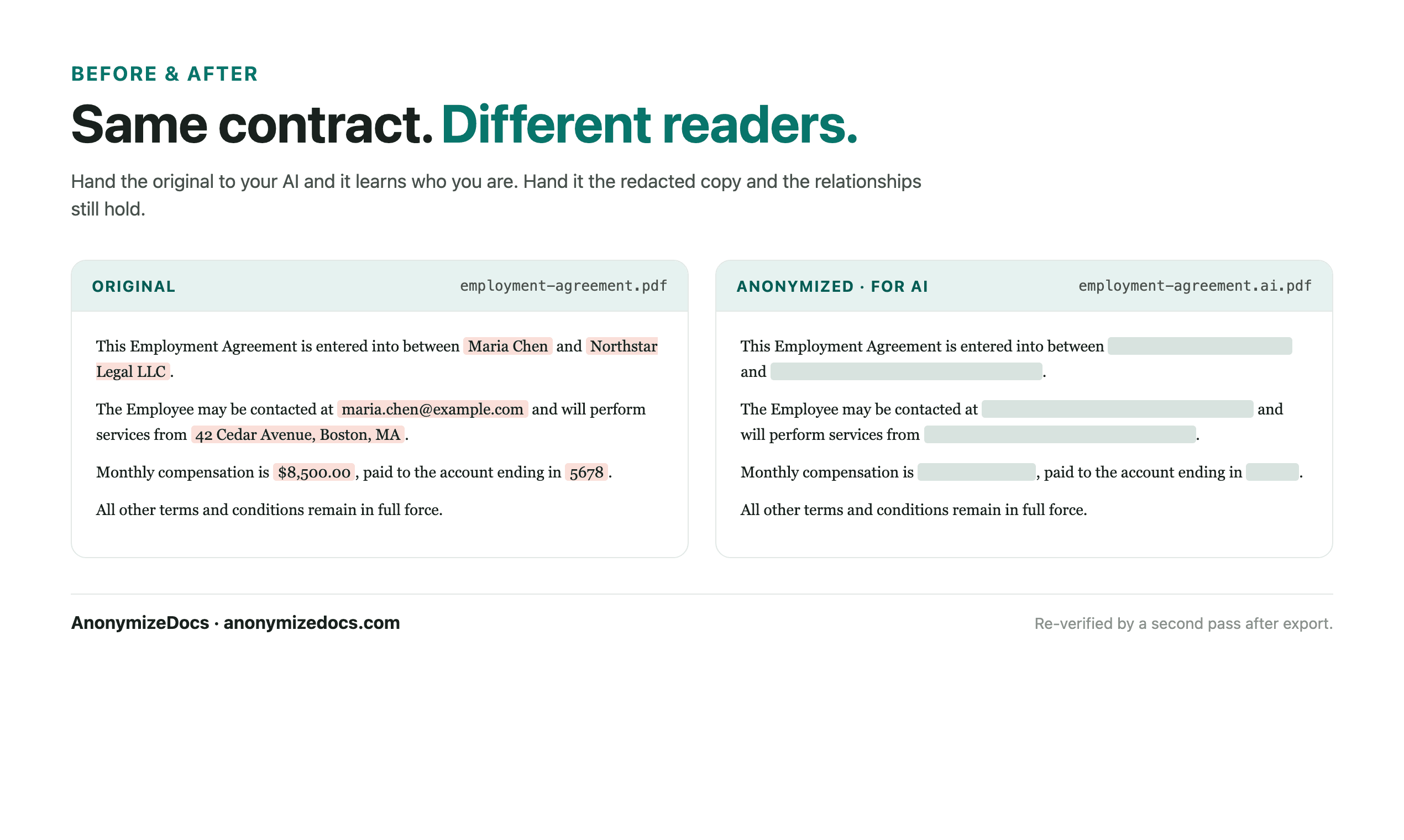
The goal is a working copy that still makes sense to an AI tool: relationships stay consistent, while accepted names, contacts, addresses and document-specific identifiers become controlled replacements.
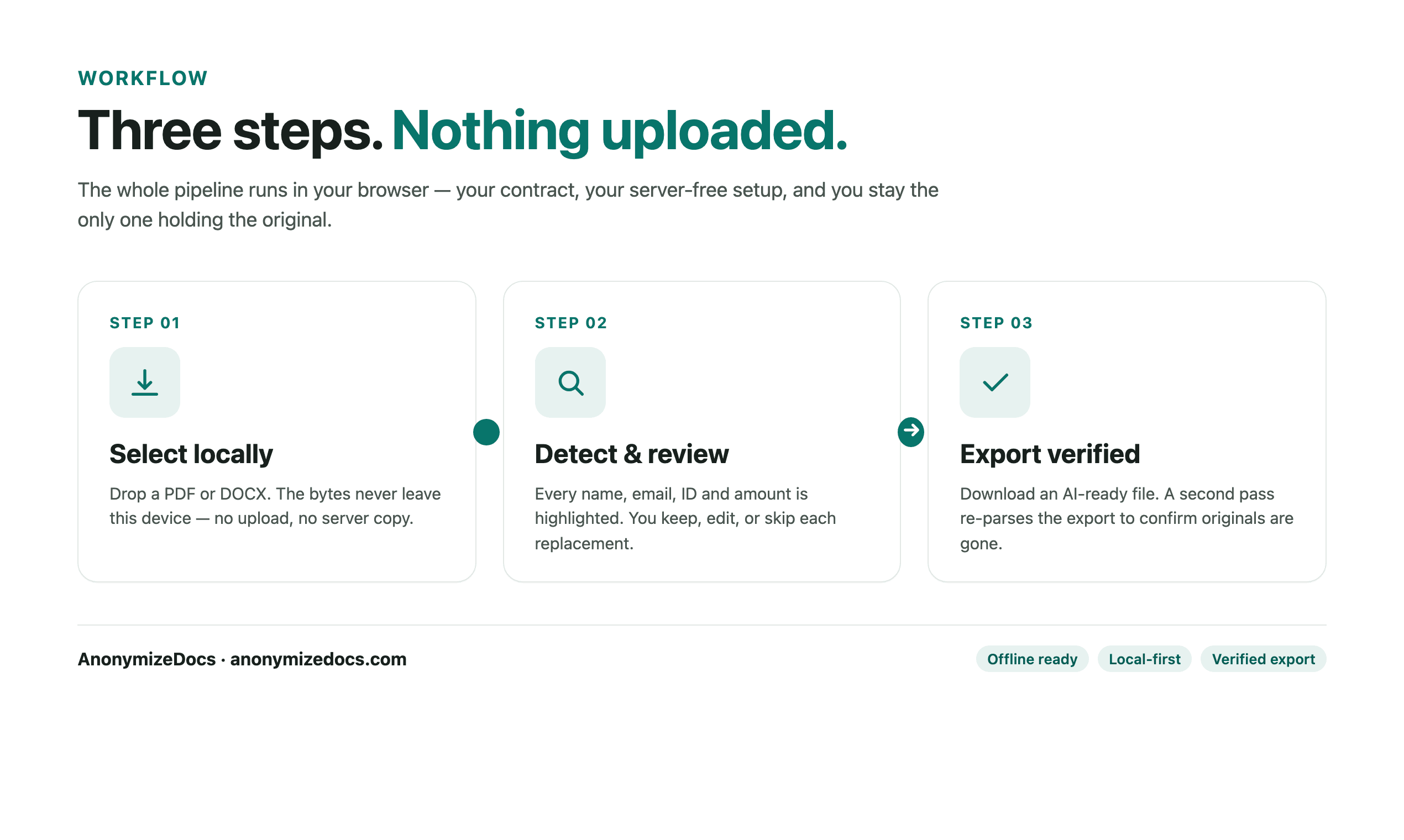
A practical sequence
From original file to AI-ready copy.
Four checkpoints
01
Prepare while connected
Open the workspace and wait until the required document resources report Offline Ready. OCR resources may take longer than text resources.
02
Disconnect optionally
Turn off the network only after setup is complete. This is an optional verification step, not a requirement for every user.
03
Review the document locally
Select the PDF or DOCX and review findings, placeholders and image-based content in the browser.
04
Export and inspect
Download the output while offline, open it locally and confirm that the file contains no original values before reconnecting and uploading it to AI.
Document-specific review
What gets checked before export?
The detector suggests candidates; you decide what changes. For this workflow, start with the fields below and add custom findings when the document contains a unique name, project, matter or identifier.
Cached PDF and DOCX processing resources Searchable text and replacement mappings OCR pages and embedded images when the OCR model is ready Browser storage state and whether a reload is required Output verification after export
Privacy boundary
What stays on your device.
Disconnecting is optional and user-controlled.
The original document stays in the browser session.
Reconnecting can restore account, plan and entitlement information without uploading document content.
Human checkpoint
What still needs your judgment.
Offline readiness is not automatic: the browser needs a one-time setup, storage can be cleared, and scanned-page OCR may need a separate model download. Reconnect before relying on a new device or cleared browser profile, and use the test matrix before making a production claim.
A verified export confirms accepted values were handled. It does not promise that an automated detector found every sensitive detail.
What a useful output looks like
Readable enough for analysis. Safer to share.
Stable placeholders let the AI distinguish one party from another without receiving the original names. Keep the clauses, dates and relationships the task needs; replace the details that identify the people, companies or matter.
Original identity-bearing valuesReview accept, ignore or editOutput reviewed placeholders or permanent redaction mode
Product evidence
See the review surface before you trust the workflow.
Current UI reference
These are current AnonymizeDocs product visuals, not testimonials or stock illustrations. They show the review, export and privacy boundaries that should be checked on a real file.
Local selection and review checkpoints.Output comparison and the boundary that still needs human verification.
Can I process a PDF without an internet connection?
Yes, after the browser has completed its one-time setup and cached the required processing resources. Disconnect only after the workspace shows Offline Ready.
Does offline processing guarantee that a document is anonymous?
No. It reduces network exposure during processing, but you still need to review suggested findings, inspect images and verify the exported copy.
Why might OCR need a separate setup?
OCR models are larger than ordinary text-processing resources. The browser may need extra time and storage to download and cache them before scanned pages can be reviewed offline.