Anonymize legal work product before AI review.

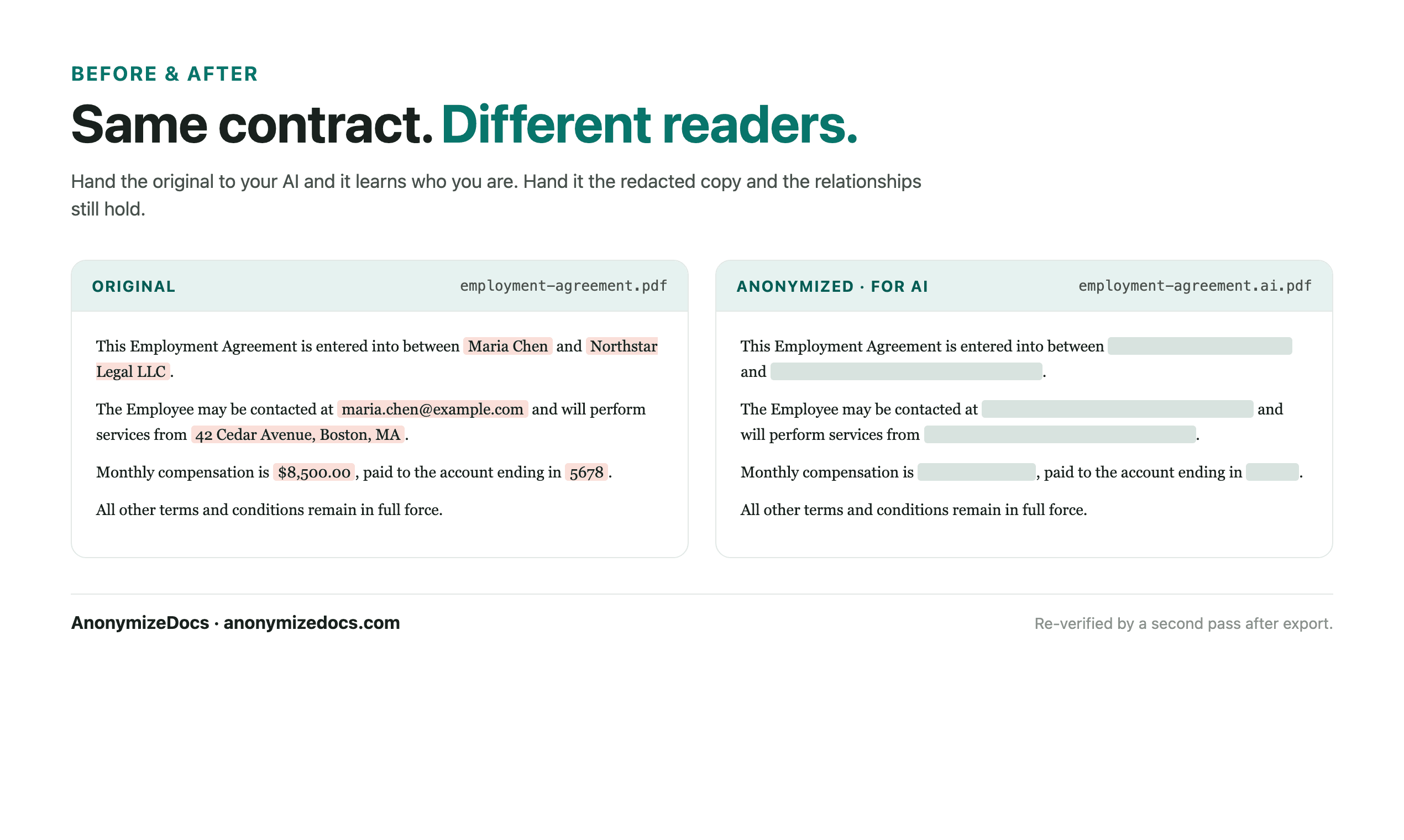
Select the legal document locally, review client and case identifiers plus privileged references, replace accepted values, verify the export, then share only the anonymized copy with AI.

For lawyers, paralegals and legal operations teams preparing case files for AI tools.

Try it free

Legal work product can contain privileged client names, opposing parties and case numbers. AI drafting and research help should not start from the raw file. AnonymizeDocs prepares a reviewed copy that preserves the legal content.

Workflow

1. Select the document locally

Choose the PDF or DOCX from your device. The file stays in the browser.

2. Review client and case identifiers

Check client names, case numbers, courts, opposing parties and privileged references.

3. Keep legal analysis readable

Arguments, citations and structure remain visible while identities become placeholders.

4. Verify and export

Recheck the output, download the anonymized copy, then use it with the AI tool.

What gets reviewed

  • Client and opposing party names
  • Case numbers, courts and matter references
  • Emails, phone numbers and addresses
  • Custom values you add for a specific matter

Stays on this device

  • The original work product is not uploaded to AnonymizeDocs.
  • Extracted text, findings and replacements remain in the browser session.
  • Account and purchase data are separate from document content.

Limitations: Redaction does not by itself preserve privilege; lawyers must apply their own privilege, ethics and confidentiality review before any sharing.

Frequently asked questions

Can AI help draft motions without client names?

Yes. Replace client and case identifiers first, then use the anonymized draft with the AI tool.

Does redaction protect attorney-client privilege?

No. It is a preparation step; privilege analysis remains a professional judgment for the lawyer.

Can I process a bundle of case documents?

Yes. Process each document locally and download reviewed copies; no file leaves the device.

Continue exploring

Local document workspace

Review your next file in the browser.

Try it free