Redact immigration documents before AI review.

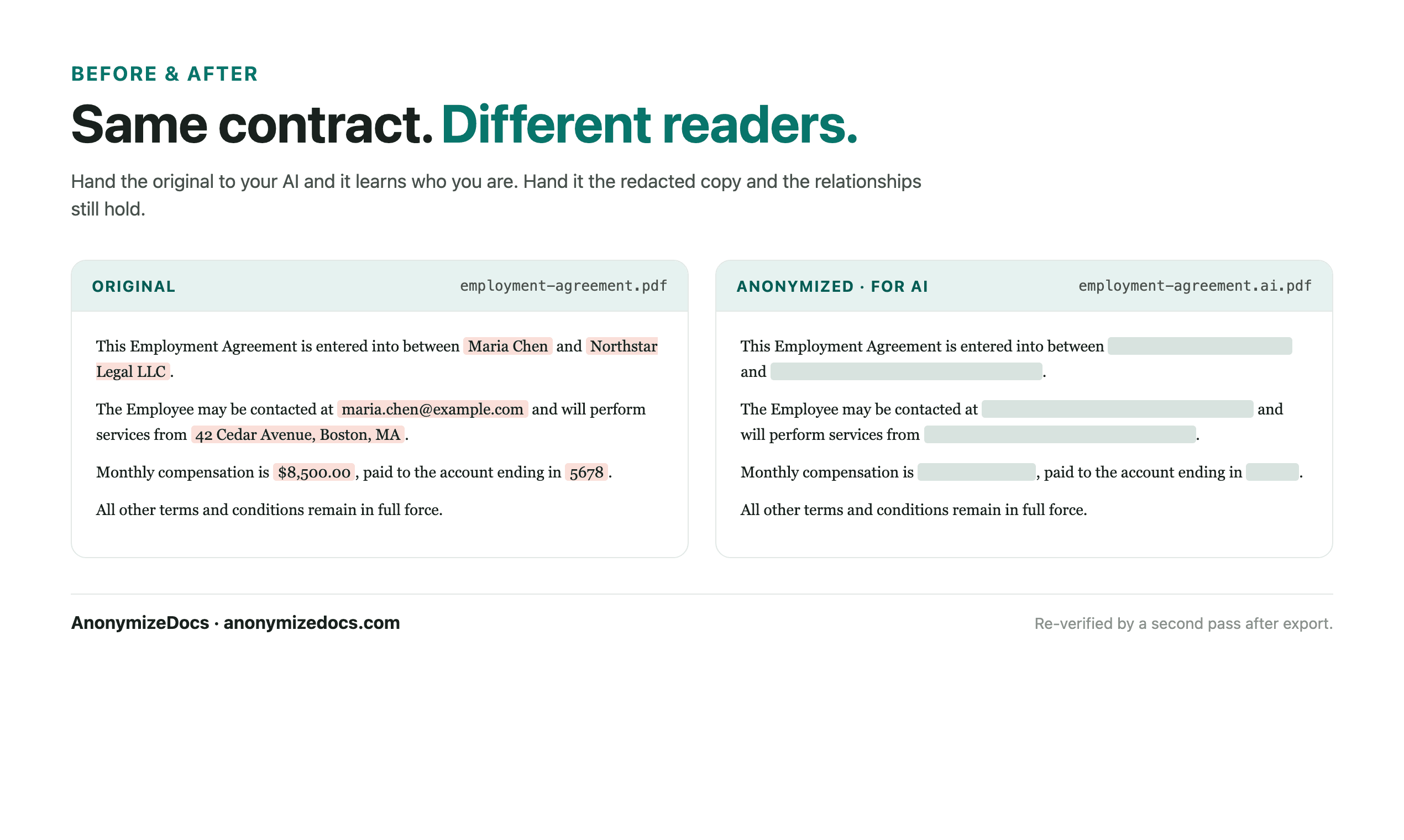
Select the immigration document locally, review passport and case identifiers, replace accepted values with placeholders, verify the export, then share only the anonymized copy with AI.

For immigration consultants, paralegals and applicants who prepare paperwork with AI.

Try it free

Immigration paperwork is packed with passport numbers, case references and personal details. AI can help draft or explain forms, but the original identifiers should not leave the applicant's device.

Workflow

1. Select the document locally

Choose the PDF or DOCX from your device. The file stays in the browser.

2. Review personal identifiers

Check passport numbers, case numbers, names, addresses and date-of-birth references.

3. Keep form structure readable

Question numbers, section headings and instructions remain visible while identifiers become placeholders.

4. Verify and export

Recheck the output, download the anonymized copy, then use it with the AI tool.

What gets reviewed

  • Passport, ID and case numbers
  • Names, addresses and date-of-birth references
  • Emails, phone numbers and application references
  • Custom values you add for a specific application

Stays on this device

  • The original immigration document is not uploaded to AnonymizeDocs.
  • Extracted text, findings and replacements remain in the browser session.
  • Account and purchase data are separate from document content.

Limitations: Immigration filings are legally sensitive; redaction is a preparation step and does not replace qualified immigration advice or final review.

Frequently asked questions

Can AI help draft immigration forms without seeing passport numbers?

Yes. Prepare an anonymized copy first, then use it with the AI tool for drafting help.

Are scanned passport pages handled?

Scanned pages use local OCR and are processed on your device, but they need the same careful review as text.

Is this a substitute for an immigration consultant?

No. It is a document preparation tool, not legal or immigration advice.

Continue exploring

Local document workspace

Review your next file in the browser.

Try it free