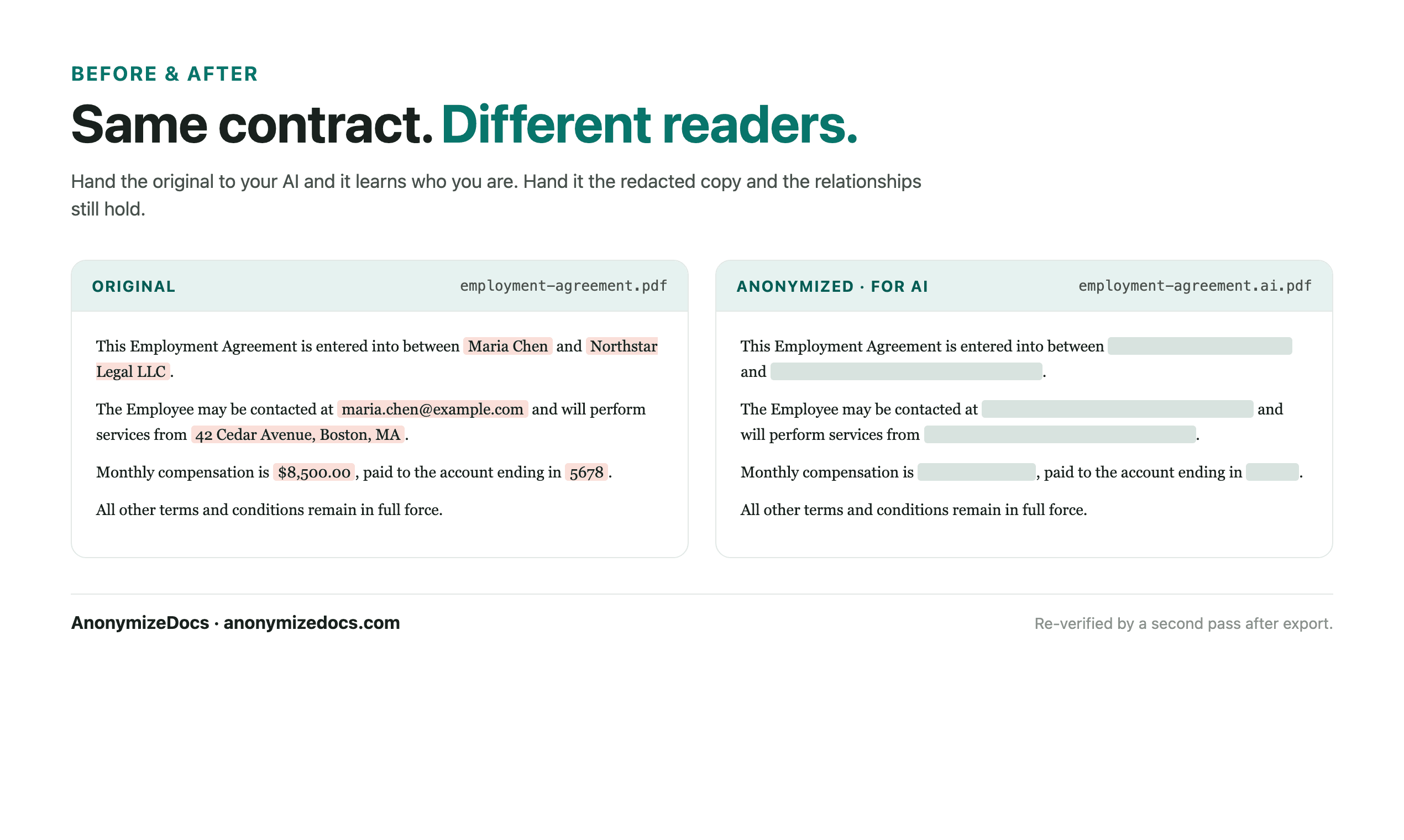
An NDA names the parties and the confidential information that defines the deal. AI can help compare versions or explain clauses, but it rarely needs the real party names. AnonymizeDocs prepares a reviewed copy locally.
Workflow
1. Select the NDA locally
Choose the PDF or DOCX from your device. The file stays in the browser.
2. Review parties and identifiers
Check company and individual names, addresses, emails and registration numbers before replacement.
3. Keep clauses and dates readable
Obligations, term, governing law and effective dates remain visible while identities become placeholders.
4. Verify and export
Recheck the output, download the reviewed copy, then use it with the AI tool.
What gets reviewed
- Party names and roles (Discloser, Recipient)
- Addresses, registration numbers and emails
- Confidential-information references that identify people
- Custom values you add for a specific NDA
Stays on this device
- The original NDA is not uploaded to AnonymizeDocs.
- Extracted text, findings and replacements remain in the browser session.
- Account and purchase data are separate from document content.
Limitations: No detector can guarantee every identifier is found; redaction is a preparation step, not legal advice or a compliance certification.
Frequently asked questions
Can AI compare two NDA versions without party names?
Yes. Replace identities with consistent placeholders first; clause differences remain comparable in the anonymized copies.
Will the NDA still be enforceable-looking after redaction?
Redaction preserves the structure and clauses. Final legal review and execution stay with the parties.
Are scanned NDAs handled?
Scanned pages use local OCR on your device, but they need the same careful review as text.
Continue exploring
Redact a contract
Remove parties, addresses and registration numbers before AI review.
For small business
Contracts and client records prepared for AI without uploading originals.
Security and local processing
See what stays local and what the account stores.
Local document workspace