Solutions · Health and insurance · medical record summarization
Core workflowUpdated Aug 14, 2026
Medical record summarization: remove PII before AI.
AnonymizeDocs is not a medical summarizer. It prepares a reviewed copy before a third-party AI summarizes the record: remove unnecessary patient, provider, record and insurance identifiers locally, preserve the chronology and clinical facts the summary needs, then reopen and verify the export before upload.
For authorized healthcare operators, researchers, claims teams, legal reviewers and patients preparing records for summarization.
Why this workflow matters
Keep the useful context. Remove the unnecessary identity.
Medical record summarization condenses multi-page notes, reports and forms into a shorter account for a defined reader. Before that process, the source may expose names, medical record numbers, insurance details, provider contacts, signatures and contextual clues. Prepare a minimum-necessary copy first while preserving dates, diagnoses, medications, tests, treatments and source markers needed to check the eventual summary.
The goal is a working copy that still makes sense to an AI tool: relationships stay consistent, while accepted names, contacts, addresses and document-specific identifiers become controlled replacements.
A practical sequence
From original file to AI-ready copy.
Four checkpoints
01
Define the summary and its reader
Decide whether the output is a clinical handoff, patient overview, legal chronology, claim review or research note. The intended reader determines which facts and dates must remain.
02
Review identifiers locally
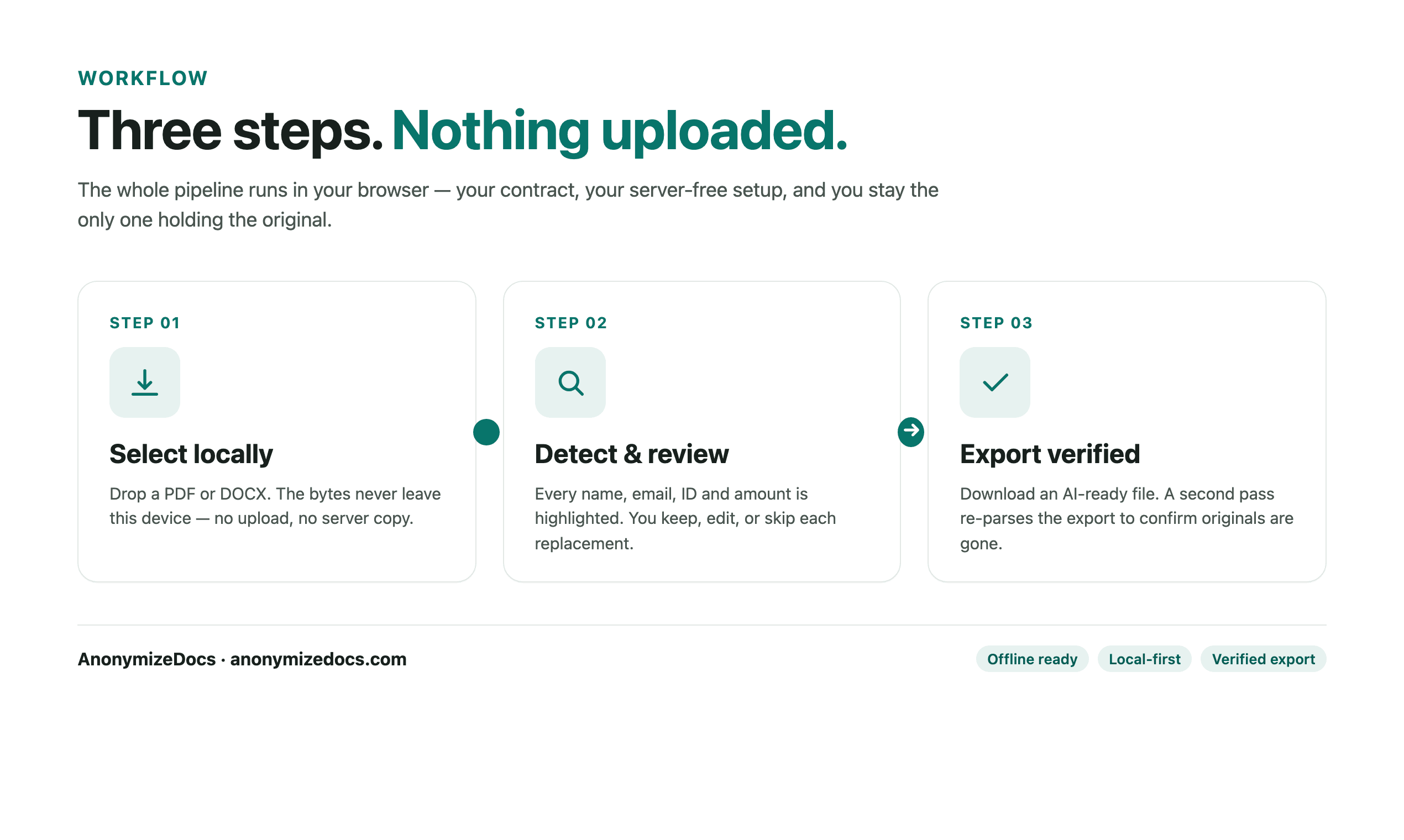
Select the PDF or DOCX in the browser and review patient, provider, facility, record, insurance and contact identifiers. Add contextual findings the detector cannot infer on its own.
03
Preserve traceable clinical context
Keep chronology, diagnoses, medications, laboratory results, procedures, treatment plans and useful page or date markers. Use stable placeholders so one patient or provider remains consistent throughout the copy.
04
Verify before summarization
Reopen the export, search for known source identifiers and inspect scans, tables, headers, footers and signatures. After a separate summarizer produces its output, a qualified person must check omissions, unsupported statements and source traceability.
Document-specific review
What gets checked before export?
The detector suggests candidates; you decide what changes. For this workflow, start with the fields below and add custom findings when the document contains a unique name, project, matter or identifier.
Patient and provider names, dates of birth and contact details Medical record, insurance, claim and account identifiers Facilities, locations, rare conditions and date combinations that could re-identify a person Signatures, scanned forms, headers, footers and embedded images Chronology, diagnoses, medications, labs and treatments the summary needs Page, section or date markers needed to verify the later summary
Privacy boundary
What stays on your device.
The original medical record is not uploaded to AnonymizeDocs.
Extracted text, findings, replacements and the private mapping remain in the browser session.
Only the reviewed copy should be sent to a separate AI medical summarizer or other third-party service.
Human checkpoint
What still needs your judgment.
AnonymizeDocs prepares a privacy-reviewed copy; it does not generate, clinically validate or cite a medical summary. Detection and OCR can miss identifiers, and removing direct identifiers does not guarantee de-identification. This workflow is not medical advice, a HIPAA compliance service or a substitute for clinical, privacy, legal or security review.
A verified export confirms accepted values were handled. It does not promise that an automated detector found every sensitive detail.
What a useful output looks like
Readable enough for analysis. Safer to share.
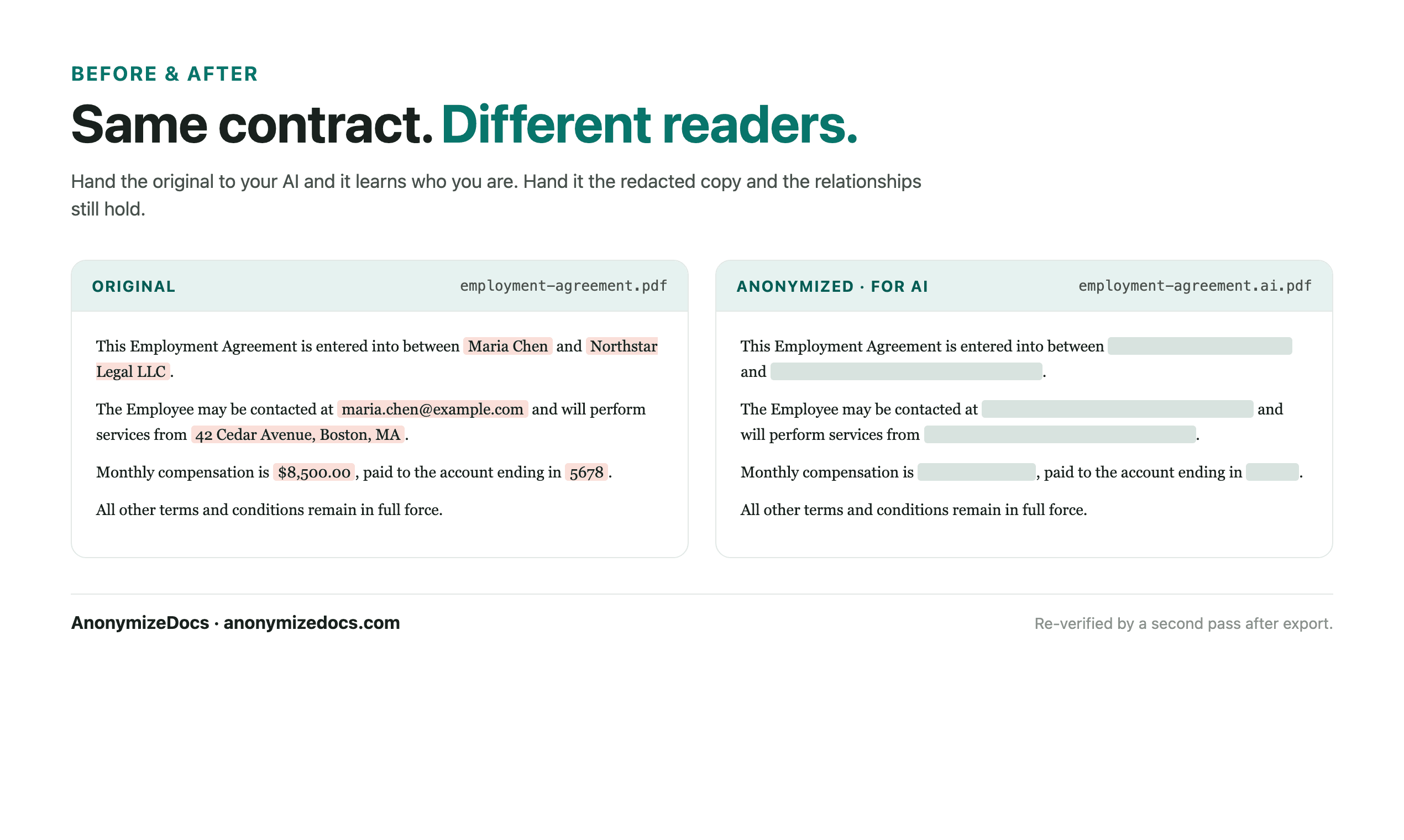
Stable placeholders let the AI distinguish one party from another without receiving the original names. Keep the clauses, dates and relationships the task needs; replace the details that identify the people, companies or matter.
Original identity-bearing valuesReview accept, ignore or editOutput reviewed placeholders or permanent redaction mode
Product evidence
See the review surface before you trust the workflow.
Current UI reference
These are current AnonymizeDocs product visuals, not testimonials or stock illustrations. They show the review, export and privacy boundaries that should be checked on a real file.
Local selection and review checkpoints.Output comparison and the boundary that still needs human verification.
It is the process of condensing multi-page medical records into a shorter, structured account for a defined reader, often organized around chronology, diagnoses, medications, tests, treatments and follow-up. The final summary still needs qualified review against the source.
Is AnonymizeDocs an AI medical summarizer?
No. It prepares a reviewed PDF or DOCX copy before you use a separate summarizer. It helps you remove unnecessary identifiers locally and verify the export; it does not produce or validate the medical summary.
Can I use the copy with a medical records summariser?
Yes, if your policy permits that service. Preserve the facts and source markers the summariser needs, upload only the verified copy, and have a qualified person check its output for omissions and unsupported statements.
What should remain for an accurate medical summary?
Keep the chronology, diagnoses, medications, allergies, laboratory results, procedures, treatment plans and relevant dates required by the task. Replace identity details that the summary does not need and keep placeholders consistent.
Does removing PII make a medical record HIPAA compliant?
No. Automated PII review does not establish HIPAA compliance or guarantee de-identification. Follow the rules, approvals and contracts that apply to the record and the AI service you plan to use.