Anonymize payroll records before AI analysis.

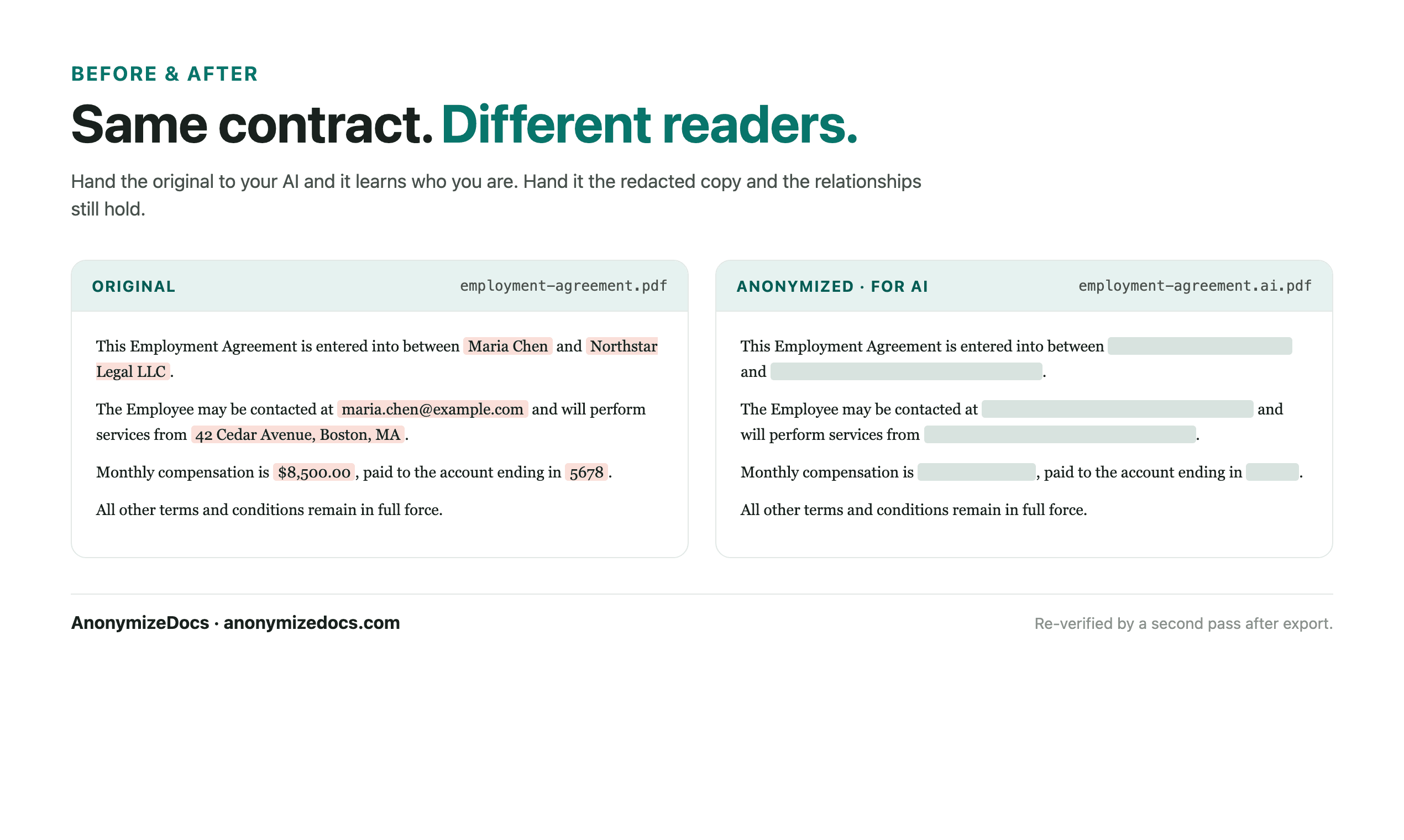
Open the payroll record locally, review employee and tax identifiers, replace accepted values with placeholders, verify the export, then use the anonymized copy with AI.

For payroll teams, accountants and HR professionals analyzing payroll with AI.

Try it free

Payroll records contain employee identities, tax IDs and pay figures. AI reporting needs the aggregates, not the individuals. AnonymizeDocs prepares reviewed copies locally.

Workflow

1. Select the document locally

Choose the PDF or DOCX from your device. The original stays in the browser.

2. Review names and identifiers

Check employee names, tax IDs and pay references before anything changes.

3. Keep the content readable

Periods, totals and breakdowns remain visible while identity-bearing values become placeholders.

4. Verify and export

Recheck the output, download the anonymized copy, then use it with the AI tool.

What gets reviewed

  • Employee names and IDs
  • Tax and bank references
  • Pay and deduction figures
  • Custom values you add for a specific record

Stays on this device

  • The original document is not uploaded to AnonymizeDocs.
  • Extracted text, findings and replacements remain in the browser session.
  • Account and purchase data are separate from document content.

Limitations: Payroll data is highly sensitive; redaction is a preparation step and does not replace HR, tax or legal review.

Frequently asked questions

Can AI work with a payroll record without personal identifiers?

Yes. Names and identifiers are replaced with placeholders while the relevant content remains readable.

What stays visible after redaction?

Dates, roles, policies and other non-identity content remain in the exported copy.

Is this suitable for HR records at scale?

Yes, for preparing reviewed copies; original records should still follow your HR and data-protection policies.

Continue exploring

Local document workspace

Review your next file in the browser.

Try it free