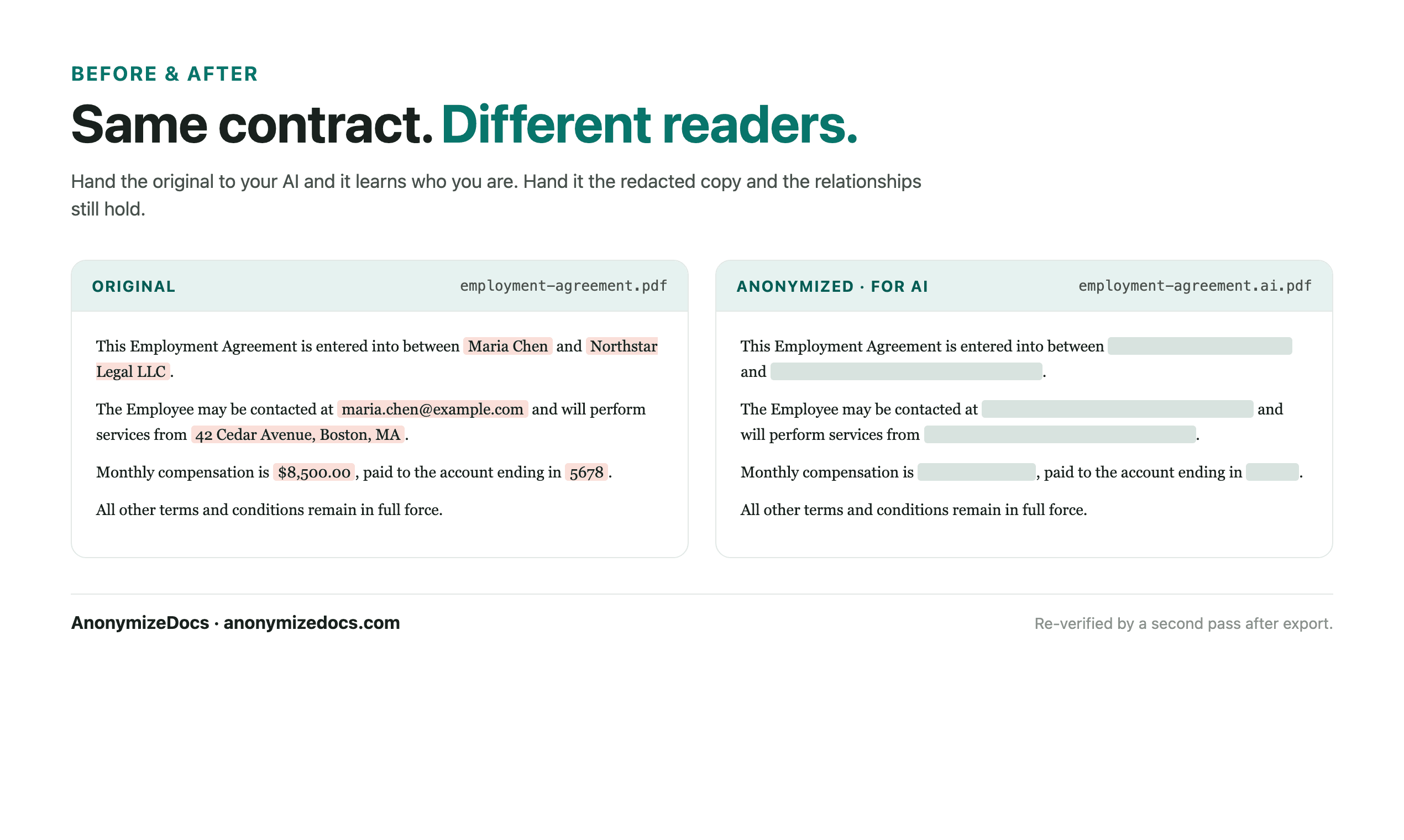
Employment contracts combine personal identity, compensation and role details. An AI summary needs the terms, not the person. AnonymizeDocs prepares a reviewed copy that keeps the contract useful.
Workflow
1. Select the contract locally
Choose the PDF or DOCX from your device. The original stays in the browser.
2. Review employee identifiers
Check names, employee IDs, addresses, emails and compensation references.
3. Keep terms and dates readable
Role, start date, notice period and policies remain visible while identities become placeholders.
4. Verify and export
Recheck the output, download the anonymized copy, then use it with the AI tool.
What gets reviewed
- Employee and employer names
- Employee IDs, addresses and emails
- Compensation, equity and bonus references
- Custom values you add for a specific contract
Stays on this device
- The original employment contract is not uploaded to AnonymizeDocs.
- Extracted text, findings and replacements remain in the browser session.
- Account and purchase data are separate from document content.
Limitations: Employment records are sensitive; redaction is a preparation step and does not replace HR, legal or data-protection review.
Frequently asked questions
Can AI explain contract terms without employee names?
Yes. Role, dates and clauses remain in the anonymized copy while identities are replaced.
Should compensation stay visible?
Compensation references are detected as findings; replace them when the AI task does not need the figures.
Is this suitable for employee records at scale?
Yes, for preparing reviewed copies; original records should still follow your HR data policies.
Continue exploring
Redact HR records
Onboarding forms and personnel notes with employee identifiers removed locally.
Remove PII before AI
A practical workflow for removing personal details from PDFs and DOCX files.
For recruiters
CVs, candidate notes and hiring documents prepared for AI without uploading originals.
Local document workspace